Create High-Converting
Lead Forms in Minutes
Build and embed powerful lead forms without code, styled to match your brand. Capture more leads from any website.
See Our Form Builder in Action
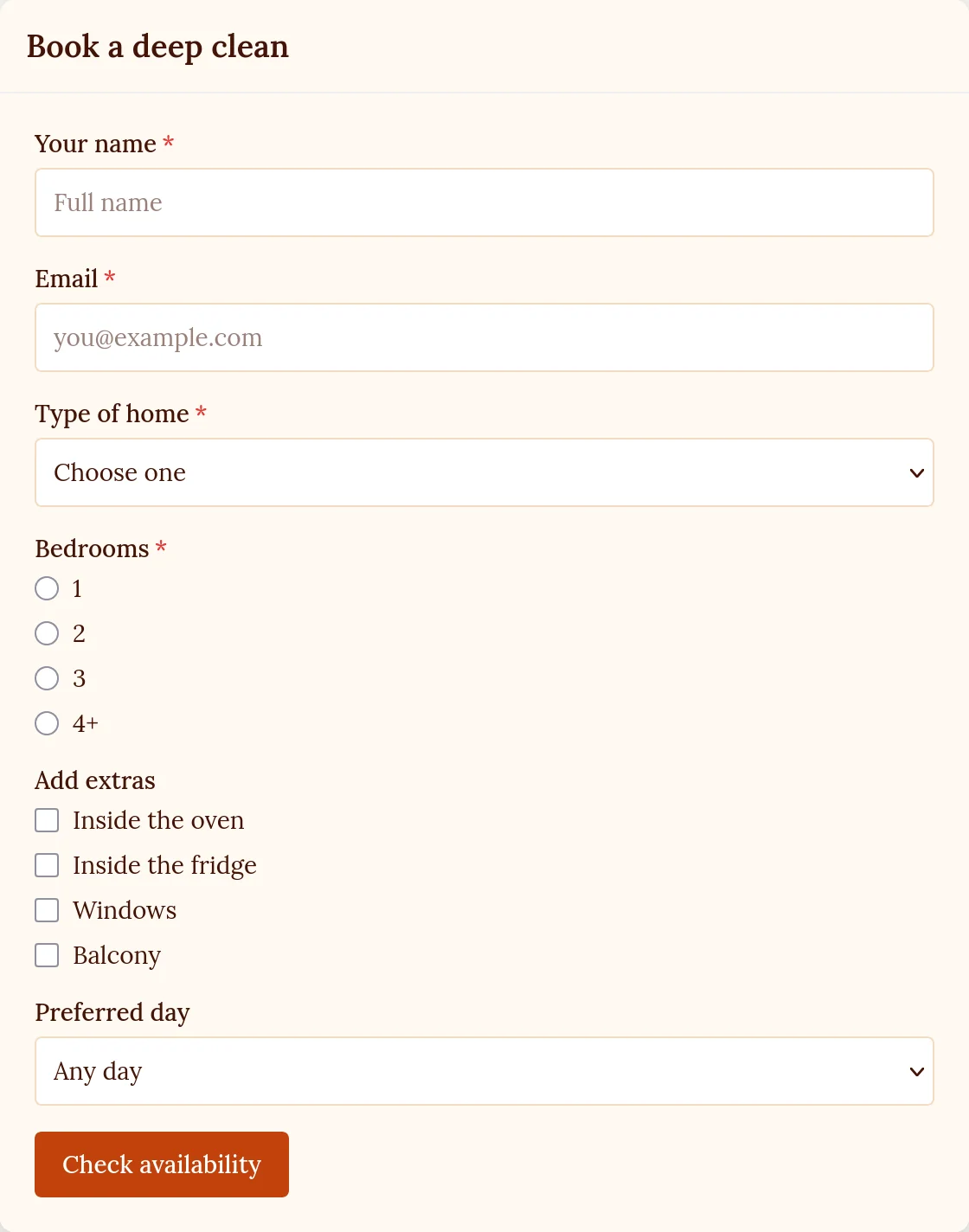
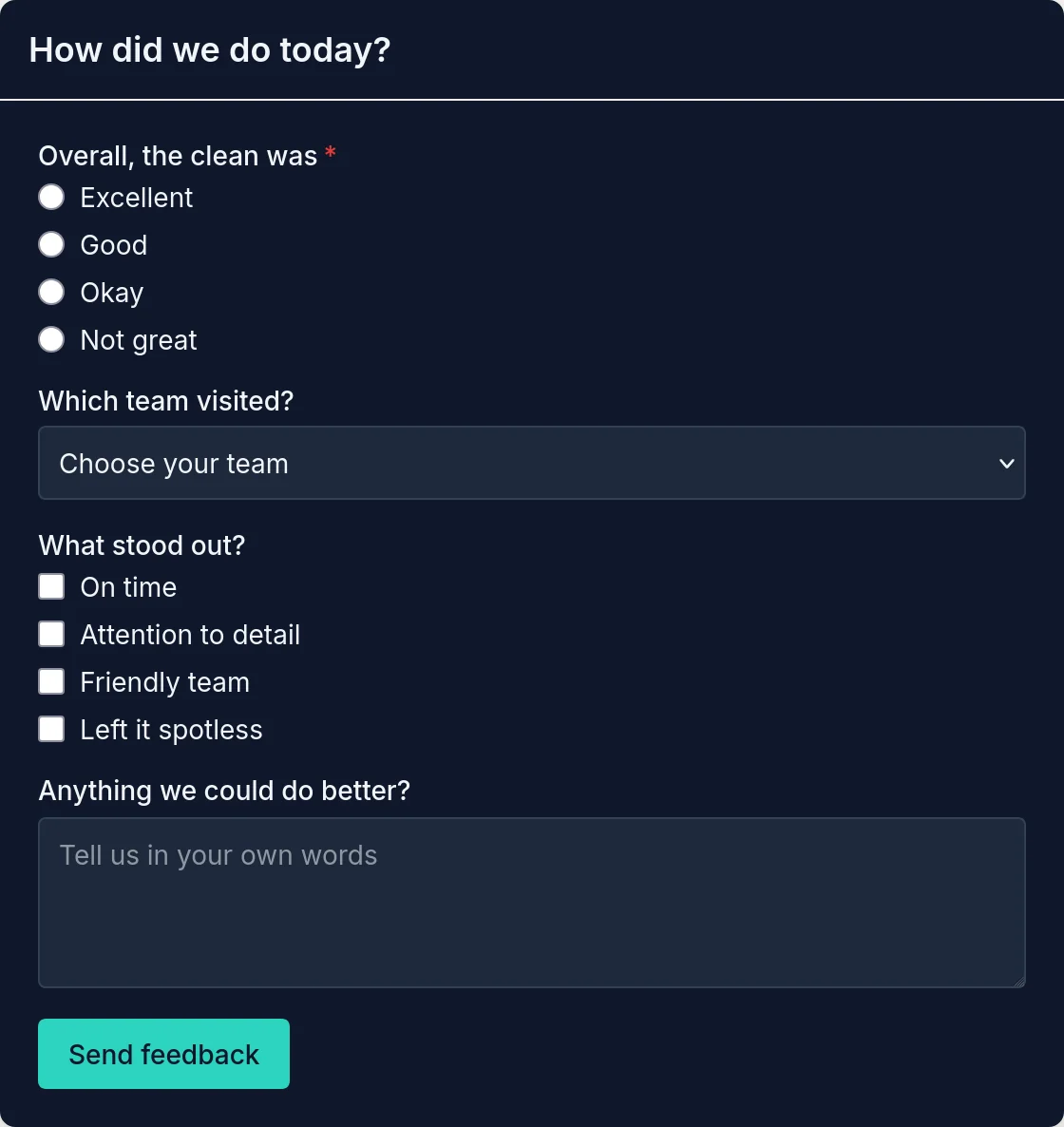
Two of the forms we built for Havenly Home Care, a demo cleaning company, each styled in its own colours and font. Both are embedded on a plain web page with one snippet.
Booking Form
Dropdowns, radio buttons and a checkbox group for extras
Feedback Form
A quick rating and comment, in dark mode
These forms were created without writing a single line of code.
Create Your Own FormsWatch a form being built and styled, and see four finished forms →
Ready to Start Capturing Leads?
No setup fees • Unlimited forms • Works on any website
Start Building FormsEverything You Need to Capture More Leads
A no-code form builder with styling, notifications and integrations built in
No-Code Builder
Collect and Follow Up
Universal Embedding
Built for Conversion Success
Professional form builder designed specifically for startups and small teams who need results, not complexity
Launch in Minutes
No developers needed. Create professional lead forms faster than you can explain the requirements to a developer. Go from idea to live form in under 5 minutes.
Unlimited Everything
Create unlimited forms and collect unlimited leads on every site you add. No caps on submissions and no surprise charges as your lead generation grows.
Locked to Your Domains
Your forms only load on the domains you've added and verified, so nobody can copy your form onto another site. Required fields and length limits are checked before a form is sent.
Mobile Optimized
Every form automatically adapts to all devices. Your leads can convert whether they're on desktop, tablet, or mobile with perfect user experience everywhere.
Instant Notifications
Get notified immediately when someone submits a form. Never miss a lead with real-time email alerts, dashboard updates, and webhook integration.
Fully Customizable
Match your brand with the style editor: colours, any Google Font, text sizes, inputs, borders, buttons and the success message, all with a live preview as you change them.
Ready to Start Capturing More Leads?
Join hundreds of startups and small businesses using our form builder to convert visitors into customers. Build your first lead form in under 5 minutes.
Lead Generation Forms FAQ
Common questions about building high-converting lead capture forms
How quickly can I create a lead generation form?
You can create a professional lead generation form in under 5 minutes. Start from a ready-made preset (free trial sign-up, demo request, contact sales, support and more) or an empty form, add fields from seven types, mark them required and put them in the order you want, without any coding.
Do lead forms work on all websites and platforms?
Yes. Our forms work on any website that lets you add custom code, including WordPress, Shopify themes, static sites, custom web apps and most landing page builders. Simply copy and paste the embed code - no plugins required.
What kinds of questions can my form ask?
Forms have seven field types: short text, email, long text, dropdown, radio buttons, a single checkbox and a group of checkboxes. Dropdowns, radio buttons and checkbox groups get their own options, so you can build contact, booking, sign-up and feedback forms with the same builder.
How do I receive leads from my forms?
Get instant email notifications for every form submission, view all leads in your dashboard, and export data to CSV. We also support webhooks and API integration to connect with your favorite tools like email marketing platforms and CRMs.
Are the forms mobile-friendly and responsive?
Yes, all forms are automatically optimized for mobile devices and tablets. They adapt perfectly to any screen size while maintaining functionality and visual appeal, ensuring you never lose leads due to poor mobile experience.
Can I customize the design of my lead forms?
Yes. In the style editor you set your brand colour, backgrounds and text colours once, pick any Google Font, and fine-tune labels, inputs, dropdowns, buttons and the success message. The live preview updates as you go, and the form on your site picks up the changes on its next page load.